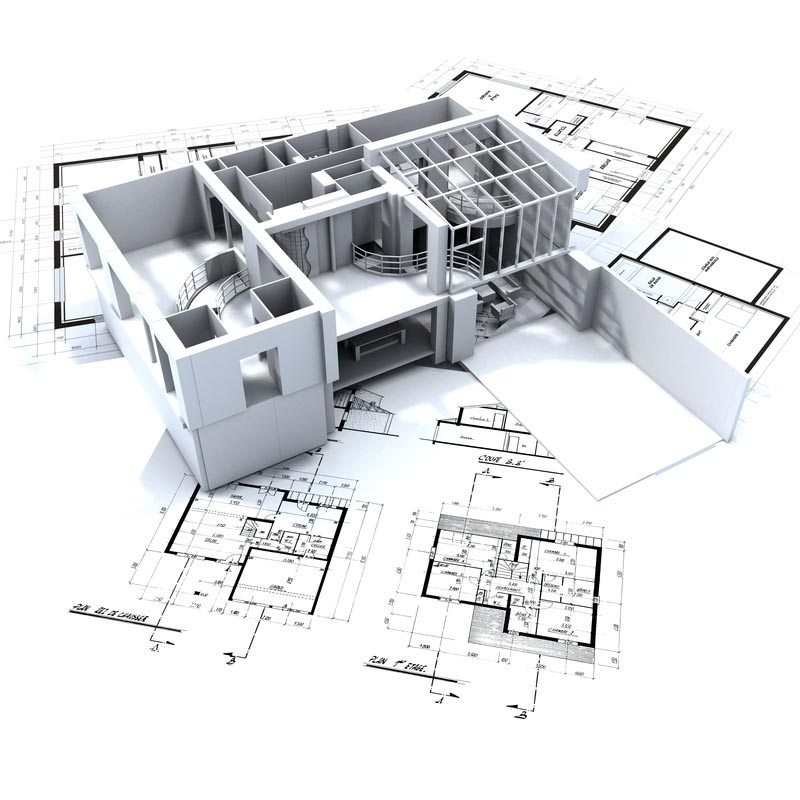
Imagine you have a brilliant idea for a new building, a home renovation, or a public space. It’s vibrant in your mind – full of light, purpose, and perfect functionality. But how do you get from that abstract vision to a tangible blueprint? This is where the Step-by-Step Schematic Design Process comes into play, transforming your dreams into preliminary drawings and layouts that give your project its first physical form. It’s the essential bridge that links your conceptual vision with the reality of what can be built, preventing costly revisions and establishing a shared understanding among everyone involved.
Consider schematic design (SD) the architectural equivalent of a sculptor blocking out the basic form of a statue. You're not adding intricate details yet, but you're defining the overall shape, scale, and spatial relationships. It's the critical juncture where ideas move from thought to graphic representation, setting the stage for everything that follows.
At a Glance: Key Takeaways from the Schematic Design Process
- What it is: The second stage of architectural design, turning abstract client visions into preliminary drawings and layouts.
- Why it matters: Ensures clarity, prevents costly rework, and builds a shared understanding among all project stakeholders.
- Main Goal: To outline how a space will look, feel, and operate, establishing the project's foundational intent.
- Key Stages: Research, conceptual sketching, preliminary development, review/refinement, and final approval.
- Who's involved: Architects, clients, project managers, engineers, cost consultants, and other stakeholders.
- Outputs: Floor plans, site plans, elevations, and visual representations (sketches, models).
- Critical distinction: SD defines overall intent; Design Development (DD) refines details for buildability.
What Exactly is Schematic Design? (And Why You Can't Skip It)
At its core, schematic design is about taking your initial ideas, your client's vision, and all the functional needs, then translating them into a preliminary, understandable form. It’s the very first time your project truly starts to take shape on paper (or screen). Following the initial pre-design or programming phase where goals and requirements are simply articulated, SD begins to answer the fundamental questions: How big will it be? How will it flow? What will its basic form look like?
This phase is far more than just "drawing pretty pictures." It's a strategic stage that:
- Maintains Project Vision Clarity: By sketching out preliminary ideas, everyone gets a chance to see if the proposed design aligns with the initial goals. This visual translation helps solidify the abstract concepts into a concrete direction.
- Prevents Costly Revisions: Identifying potential issues or misalignments at this early stage is incredibly economical. Moving forward with a flawed concept only amplifies costs when changes inevitably need to happen later. A tweak in SD costs dollars; a change in construction costs thousands, sometimes millions.
- Establishes Shared Understanding: The preliminary drawings become a common language. Architects, clients, engineers, and even future contractors can look at these documents and begin to grasp the project's scale, scope, and spatial logic. This shared comprehension builds trust and reduces miscommunication down the line.
Think of schematic design as building the foundational framework for a novel. You're outlining the main plot points, character arcs, and setting – ensuring the story's backbone is strong before you dive into writing every chapter. Without this critical phase, you risk building on shaky ground, leading to frustration, delays, and budget overruns.
The Step-by-Step Schematic Design Process: From Vision to Visual
Navigating the schematic design process means moving through a series of logical steps, each building upon the last to create a cohesive preliminary vision. Here’s how it typically unfolds:
1. Research and Information Gathering: Laying the Groundwork
Before a single line is drawn, an architect becomes a detective. This initial phase is all about deep investigation and assimilation of every piece of relevant information. It’s where the raw data meets the nascent vision.
You'll start by thoroughly analyzing:
- The Design Brief: This is your client's wish list, functional requirements, and overarching objectives. What problems are they trying to solve? What is the ultimate purpose of the space?
- Site Conditions: Every site has its quirks – topography, existing structures, sun paths, wind patterns, access points, and even views. Understanding these nuances is crucial, as they inherently shape the design.
- Zoning Laws and Building Codes: These non-negotiables dictate what can and cannot be built. Setbacks, height limits, allowable uses, safety regulations – they all form the legal framework for the project. Ignoring them at this stage is a recipe for disaster.
- Environmental Factors: How does the climate impact the building? Think about solar orientation for natural light, prevailing winds for ventilation, and local weather patterns for material resilience.
- Client Goals, Space Requirements, and Budget: These are the practical parameters. How much space is needed for specific functions? What’s the maximum expenditure? These financial and functional constraints are as much design drivers as aesthetic desires.
This research phase ensures that the design is grounded in reality, addressing both aspirations and limitations from the outset.
2. Conceptual Sketching and Space Planning: Bringing Ideas to Life
With a solid understanding of the project's context and constraints, the abstract ideas begin their transformation into tangible forms. This is the creative heart of schematic design, where intuition meets informed decision-making.
Architects use a variety of tools to explore "big-picture" ideas:
- Sketches: Loose, freehand drawings are invaluable for rapidly testing ideas about form, massing (the overall shape and volume of the building), and spatial relationships. Where will the main entrance be? How will people move through the building?
- Massing Studies: These might be physical models made from foam or digital models that quickly explore different volumetric options, helping to understand how the building will sit on the site and relate to its surroundings.
- Digital Diagrams: Software tools allow for quick block diagrams that illustrate departmental adjacencies, flow paths, and functional zones. This ensures that the layout supports the intended use.
This stage translates vague thoughts into graphic representations, allowing for rapid iteration and exploration of multiple viable options. It's about finding the "bones" of the design, not yet the skin or details.
3. Preliminary Design Development: Refining the Vision
Once the basic conceptual ideas are established and initial feedback is absorbed, the sketches evolve. This phase refines the broad strokes into more detailed (yet still preliminary) drawings.
Here, the focus shifts to optimizing specific elements:
- Floor Plans: These start to show the layout of rooms, major circulation paths, and potential furniture arrangements. You’re defining the size and function of each space.
- Site Plans: The building's relationship to its site becomes clearer, showing parking, landscaping, key access points, and connections to utilities.
- Elevations: These drawings illustrate the exterior appearance of the building from each side, giving a sense of scale, proportion, and aesthetic direction.
- Optimizing Elements: Architects consider how to maximize natural daylight, ensure efficient circulation, and enhance the overall functionality and aesthetics of the emerging design. This often involves incorporating early feedback and iterating on solutions.
This stage is about solidifying the spatial arrangement and initial aesthetic direction, ensuring that the design truly serves its purpose while beginning to hint at its character.
4. Review, Refinement, and Documentation: Sharpening the Details
With preliminary designs in hand, it's time for critical review. This is where stakeholder input becomes paramount, and the design begins to coalesce into a formal package.
Key activities include:
- Incorporating Feedback: The architect actively gathers input from the client, internal team members, and potentially other key stakeholders. This feedback loop is essential for ensuring alignment and making necessary adjustments.
- Preparing Schematic Design Documents: These are the formal deliverables of this phase. They typically include:
- Floor Plans: Basic layouts showing room arrangements and dimensions.
- Site Plans: Illustrating the building's placement on the property, key features, and access.
- Elevations: Exterior views, conveying scale and general aesthetic.
- Schematic Diagrams: Often including basic sections or 3D visuals that help illustrate spatial relationships.
- Early Cost Checks: A quantity surveyor or cost consultant gets involved to provide a high-level cost estimation based on the schematic design. This is crucial for verifying that the design remains within budget parameters.
The documentation at this stage is detailed enough for approvals, stakeholder reviews, and early cost checks, but it's important to remember: these are not yet construction-ready drawings. They define the "what" and "where," not the "how" or "with what materials." To gain a deeper understanding of this foundational stage, you might find it helpful to learn about schematic design in more detail.
5. Presentation and Approval: Green Light to the Next Phase
The final hurdle in the schematic design process is formal presentation and obtaining client approval. This is the moment where all the research, conceptualization, and refinement culminate.
What happens here:
- The Final Schematic Package: This comprehensive package typically includes all the refined drawings, visual representations (such as study models, digital models, or perspective sketches), and updated cost estimations.
- Client Presentation: The architect presents the package to the client, explaining the design rationale, how it addresses the brief, and responding to any final questions.
- Formal Approval: Upon satisfaction, the client formally approves the schematic design package. This crucial approval signifies agreement on the overall design intent and layout, effectively moving the project forward into the next, more detailed phase: Design Development.
Without this approval, the project cannot proceed responsibly. It ensures that everyone is literally on the same page before significant further investment in detailing is made.
Who’s In the Room? Key Players in the SD Phase
Schematic design is rarely a solo act. It's a highly collaborative process that requires input and expertise from a diverse team. Understanding who does what is key to a smooth workflow.
The Architect: The Design Visionary
The architect is the undisputed lead of the schematic design process. They are the creative force, translating the client's brief into tangible layouts and drawings. Their role encompasses:
- Leading the Design: Orchestrating the conceptualization, sketching, and preliminary development.
- Coordination: Acting as the central hub, coordinating input from engineers, consultants, and the client.
- Compliance: Ensuring the design adheres to codes, zoning, and regulatory requirements.
The Project Owner/Client: The Ultimate Decision-Maker
This is your project, and your role is paramount. As the client, you define the project's priorities, articulate your goals, and identify any non-negotiables. Your responsibilities include:
- Defining the Vision: Clearly communicating your aspirations and functional needs.
- Reviewing and Feedback: Actively engaging with design options, providing specific, constructive feedback.
- Approving Decisions: Giving final approval at key junctures, particularly the end of the SD phase.
Client-Side Project Manager: The Navigator
If you have a project manager on your side, they act as your trusted representative and coordinator. They ensure your interests are protected and the process stays on track:
- Day-to-Day Coordination: Managing communication flow between you and the design team.
- Progress Tracking: Monitoring timelines and ensuring milestones are met.
- Alignment: Verifying that design decisions consistently align with the original brief and budget.
Engineers and Technical Consultants: The Reality Checkers
Early input from engineers is invaluable. Structural, mechanical, electrical, and plumbing (MEP) engineers provide critical feasibility checks:
- System Input: Advising on early concepts for structural systems, HVAC, and utility integration.
- Performance and Constructability: Ensuring the design is not only imaginative but also safe, efficient, and buildable. Their early insights can prevent significant redesigns later.
Quantity Surveyor or Cost Consultant: The Financial Guardian
This expert keeps a watchful eye on the budget. They translate design ideas into financial implications:
- Cost Checks: Providing schematic-level cost estimates and flagging potential financial risks.
- Budget Guidance: Helping guide design decisions within the defined financial limits, ensuring the project remains viable.
Other Stakeholders: The Specific Needs Representatives
Depending on the project, other voices might need to be heard, such as:
- Facility Managers: Offering insights on maintenance and operational efficiency.
- Compliance Leads: Ensuring adherence to specific industry or organizational regulations.
- User Representatives: Providing feedback from those who will ultimately use the space.
What Does SD Produce? Essential Deliverables
The output of the schematic design phase is a set of preliminary documents and visuals that communicate the proposed design's fundamental elements.
Architectural Drawings
These are the backbone of the schematic design deliverables:
- Floor Plans: Basic layouts indicating the arrangement of rooms, circulation paths, and major spatial divisions. They show scale and functional relationships.
- Site Plans: Illustrate how the building sits on its site, showing relationships to property lines, adjacent structures, landscaping, parking, and major site features.
- Elevations: Exterior views of the building from various sides, providing a sense of its overall massing, proportion, and architectural character.
- Schematic Diagrams: Simple drawings like basic sections (showing a cut through the building) or area diagrams that clarify spatial flow and relationships.
System and Material Notes
At this stage, these are typically high-level, illustrative notes rather than detailed specifications:
- Structural Systems: Early indications of the proposed structural approach (e.g., steel frame, concrete, wood construction).
- HVAC, Plumbing, Electrical: General concepts for major mechanical systems and utility connections.
- Material Choices: Initial ideas about exterior cladding or key interior finishes, usually described conceptually (e.g., "natural stone," "large format tile"). These are not final specifications but help to convey the intended aesthetic and performance.
Visual Representation
To help clients and stakeholders visualize the design, architects often create:
- Study Models: Physical models, often made from simple materials like foam board, to understand massing and form in three dimensions.
- Digital Models: Basic 3D computer models that allow for virtual walkthroughs or different perspective views.
- Perspective Sketches: Hand-drawn or digitally rendered sketches that offer a more artistic impression of key spaces or exterior views.
These visuals are crucial for communication, helping non-technical stakeholders truly grasp the design intent.
The Architect's Toolkit: Software and Technologies Driving SD
Modern schematic design is significantly enhanced by powerful software and technologies that go beyond simple drafting. These tools allow for greater precision, visualization, and data-informed decision-making.
- Revit (Building Information Modeling - BIM): BIM software like Revit is transformative. It allows architects to create intelligent 3D models that contain not just geometric data but also information about components (walls, doors, windows). This integration aids in clash detection, quantity take-offs, and streamlined documentation as the project progresses.
- AutoCAD: Still a workhorse for many, AutoCAD remains essential for precise 2D drafting, detailed layout creation, and producing clear construction documents, particularly for specific details or existing conditions.
- SketchUp: Renowned for its user-friendliness, SketchUp is excellent for rapid 3D conceptual visualization. Architects can quickly model ideas, iterate on forms, and present easy-to-understand visuals to clients.
- Rhino and Grasshopper: These tools push the boundaries of design with advanced geometry and parametric capabilities. Rhino is powerful for complex 3D modeling, while Grasshopper, a visual programming editor, enables designers to create intricate forms and patterns through algorithmic design, often used for unique or highly optimized building skins and structures.
Beyond visualization, these tools facilitate simulations. Architects can run early analyses on natural lighting, assess the impact of different material finishes, and even get preliminary insights into energy performance, allowing for data-informed decisions right from the schematic phase.
Schematic Design (SD) vs. Design Development (DD): A Crucial Distinction
While often grouped, schematic design and design development are distinct phases with different goals and levels of detail. Understanding their differences is key to managing expectations and project flow.
| Feature | Schematic Design (SD) | Design Development (DD) |
|---|---|---|
| Primary Goal | Define overall design intent, layout, and spatial relationships. | Refine and finalize the approved schematic design. |
| Level of Detail | Basic plans, sections, elevations; conceptual. | Detailed architectural drawings with refined geometry. |
| Focus | Establishing direction, general design intent, and feasibility. | Finalizing dimensions, materials, and system integration. |
| Documentation | Preliminary drawings, sketches, basic models. | Detailed drawings, material specifications, system details. |
| Key Output | Approved concept; foundation for further work. | Comprehensive drawings for contractor bidding/permit. |
| Decision Scope | Macro decisions about form, function, and flow. | Micro decisions about specific products, finishes, systems. |
| Analogy | Outlining a novel; sketching a sculpture's basic form. | Writing the full chapters; chiseling details into the sculpture. |
| Simply put: SD sets the concept; DD prepares it for buildability. Schematic design gets you agreement on the big picture. Design development then takes that big picture and adds all the necessary layers of detail so that someone can actually construct it. Skipping or rushing either phase can lead to significant problems down the line. |
Mastering Schematic Design: Best Practices for Project Success
Successful schematic design isn't just about drawing well; it's about smart processes and effective collaboration. Here are best practices to ensure your project starts on the strongest possible footing:
- Start with Crystal-Clear Goals: Before any design work begins, ensure the project's purpose, scope, and your expectations are explicitly defined and documented. Ambiguity here is the root of most costly rework. Lock in what's a "must-have" versus a "nice-to-have."
- Prioritize Functionality: While aesthetics are important, the space must work. Balance beauty with usability, always asking: "How will people genuinely use and move through this space?" Ensure "form follows function" as a guiding principle.
- Embrace BIM Early: Integrate Building Information Modeling (BIM) from the earliest conceptual stages. This allows for better visualization, helps detect potential clashes early, and streamlines documentation and analysis throughout the project lifecycle.
- Encourage Iteration, Don't Settle: The schematic phase is for exploration. Don't fall in love with the first draft. Encourage the design team to present multiple viable options and be open to exploring different approaches. Flexibility now saves rigidity later.
- Stay Client-Focused: Actively engage the client through regular design discussions and visual walkthroughs. Transparency and consistent communication build trust and ensure the design truly reflects their vision. This isn't just about showing; it's about listening.
- Collaborate and Communicate Openly: The best designs emerge from genuine teamwork. Coordinate closely with engineers, interior designers, and of course, the client. Share input freely, validate requirements, ensure budget alignment, and foster a strong, collaborative spirit.
- Set a Clear Decision Framework Early: Who makes the final call on design elements? What are the deadlines for feedback? How will scope changes or cost shifts be handled? Defining these procedures upfront avoids confusion and delays.
- Give Timely, Clear Feedback: As a client or stakeholder, your feedback is critical. Make it specific, constructive, and prompt. Vague or delayed responses can lead to design drift, wasted effort, and ultimately, cost overruns.
- Focus on Project Goals, Not Just Solutions: Communicate desired outcomes and let the architectural team determine the best design solutions to achieve them. Avoid prescribing solutions unless absolutely necessary; empower your experts to innovate.
Pitfalls to Sidestep: Common Mistakes in Schematic Design
Even with the best intentions, certain missteps can derail the schematic design process. Being aware of these common mistakes can help you steer clear of them.
- Starting Without Clear Priorities: This is perhaps the biggest pitfall. If you begin without a well-defined brief, budget, and a clear understanding of your must-haves, nice-to-haves, and non-negotiables, you’re inviting vague scope, false assumptions, and eventual budget mismatches. Always confirm and document alignment on priorities before proceeding.
- Skipping Early Cost Reviews: Design decisions, even at a conceptual level, have significant cost implications. Failing to involve a quantity surveyor or cost consultant early for schematic-level cost checks means you might fall in love with a design that's completely unaffordable. Integrate cost reviews as a non-negotiable step.
- Excluding Key Stakeholders for Too Long: While you don't need everyone in every meeting, critical stakeholders like facility managers, IT teams, operations staff, or compliance leads can identify significant issues that an architect might overlook. Schedule focused stakeholder reviews, particularly concerning systems, access, and regulatory requirements, to catch potential problems early.
- Prioritizing Polished Visuals Before Layout is Solid: It’s tempting to want beautiful renderings and glossy presentations early on. However, if the fundamental massing, adjacencies, and technical feasibility aren't confirmed, spending time on highly polished visuals can be a massive waste. Ensure the core functional and structural aspects are sound before investing in elaborate presentations that might need to be completely rebuilt.
How Long Does Schematic Design Take? (And Why It Varies)
The duration of the schematic design phase isn't fixed, but it typically ranges from 2 to 6 weeks. This timeframe, however, is highly influenced by several factors:
- Project Size and Complexity: A small residential renovation will naturally require less time than a large commercial building or a multi-phase campus development.
- Client Responsiveness: The speed and clarity of client feedback are critical. Delays in decision-making or vague responses can easily extend the timeline.
- Number of Stakeholders: More stakeholders often mean more feedback rounds and potentially longer review periods to achieve consensus.
- Scope Ambiguity: If the project brief isn't perfectly clear from the outset, additional time will be needed in the early stages for research and clarification.
- Architectural Firm's Workflow: Different firms have different internal processes and capacities, which can also influence the pace.
While rushing this phase might seem like a way to save time, it almost always leads to bigger problems and longer delays later in the project. Investing adequate time here is an investment in efficiency down the road.
Case Study: The St. Petersburg Pier Redesign ��� A Lesson in Public-Focused SD
The story of the St. Petersburg Pier redesign offers a compelling real-world example of how a well-executed (or poorly executed) schematic design process can define a project's fate.
In 2012, St. Petersburg, Florida, faced a public outcry over an initial "The Lens" proposal for its iconic pier. While architecturally striking, the schematic design was widely rejected by the community. Why? It was perceived as a sleek, futuristic structure that largely disregarded the local character, offered limited usable public space, and felt disconnected from the community's vision for a vibrant, accessible waterfront. The public simply didn't see their needs reflected in the preliminary design.
This rejection forced a reset. A subsequent effort, which led to the "Pier Park" proposal, adopted a dramatically different approach to schematic design. It prioritized:
- Community Input: Extensive public engagement sessions were held to genuinely understand what residents wanted and valued in their pier.
- Adaptive Reuse and Comfort: Instead of a radical new structure, the design focused on creating diverse, comfortable, and highly functional spaces for families, anglers, and nature lovers. It emphasized amenities like shaded areas, fishing decks, and dining options that directly addressed public desires.
- Cost Realities: The design was developed with a keen eye on budget, ensuring the ambitious vision was financially sustainable.
The "Pier Park" proposal, developed through this public-focused schematic design process, garnered overwhelming public support and received city council approval. The project moved successfully through design development, construction (starting October 2016), and opened to wide acclaim on July 6, 2020.
This case vividly highlights a crucial lesson: aligning schematic design with client (in this case, public) priorities and cost realities from the very beginning is not just good practice – it's essential for achieving lasting, successful outcomes. It shows that even the most innovative design concept can fail if its schematic foundation doesn't resonate with the core needs and expectations of its users.
Ready to Build Your Vision? Your Next Steps in Schematic Design
The schematic design process is the moment your abstract vision begins to breathe. It’s a dynamic, iterative, and incredibly valuable phase that sets the trajectory for your entire project. By investing time, energy, and clear communication here, you're not just creating drawings – you're building clarity, fostering alignment, and fortifying your project against future challenges.
As you embark on your next building venture, remember to:
- Be a proactive and engaged client: Your insights are indispensable.
- Empower your design team: Provide clear goals, then trust their expertise to find creative solutions.
- Embrace collaboration: Work closely with all stakeholders to iron out complexities early.
- Prioritize clarity over speed: A well-considered schematic design is the ultimate time and money saver.
By respecting the methodical, step-by-step nature of schematic design, you ensure that your project’s foundation is rock solid, paving the way for a successful, beautiful, and highly functional final outcome.