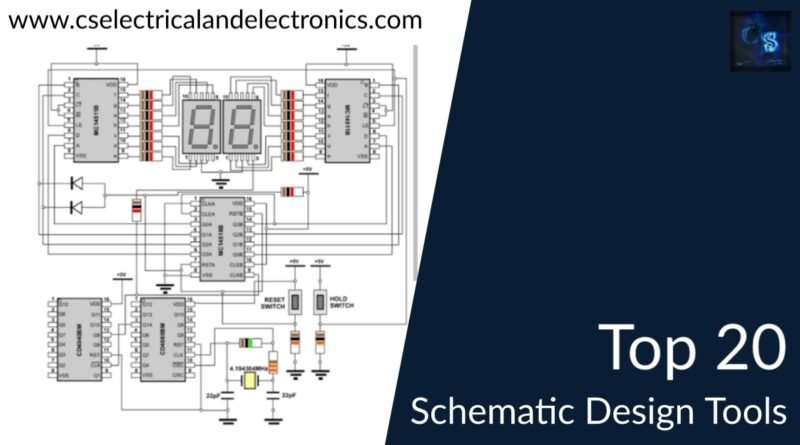
Designing electronics, whether for a hobby project or a complex industrial system, starts long before the soldering iron heats up or the PCB is ordered. It begins with a clear, precise blueprint: the schematic. And just as a master architect wouldn't sketch a skyscraper on a napkin, today’s engineers rely on sophisticated Essential Tools and Software for Schematic Design to bring their electronic visions to life. These aren't just drawing apps; they're the digital backbone of modern electronics development, transforming abstract ideas into tangible, error-free designs.
Without the right schematic design tools, you're essentially navigating a maze blindfolded. But with them? You gain clarity, collaboration, and a critical edge in avoiding costly mistakes down the line.
At a Glance: Your Schematic Design Toolkit
- Standardization & Clarity: Transform messy sketches into industry-standard, easily understood diagrams.
- Error Prevention: Catch critical design flaws like unconnected pins or mismatched nets before manufacturing.
- Team Collaboration: Work together in real-time, sharing designs and integrating feedback seamlessly, especially with cloud-based options.
- Seamless Integration: Bridge the gap directly to PCB layout software, saving time and reducing manual transfer errors.
- Advanced Capabilities: Some tools offer powerful features like circuit simulation, AI-driven component suggestions, and automated documentation.
- Key Features to Prioritize: Look for extensive component libraries, Electrical Rule Checking (ERC), Netlist Export, multi-sheet support, and strong collaboration tools.
- Top Choices: From open-source heroes like KiCad to AI-powered innovators like XTEN-AV X-DRAW, there’s a tool for every need and budget.
Why Smart Schematic Tools Aren't Just Nice-to-Have Anymore
Gone are the days when a pencil and paper sufficed for anything beyond the simplest circuit. Modern electronics demand precision, efficiency, and a robust framework for development. This is precisely where specialized schematic design software steps in, offering benefits that are truly non-negotiable for anyone serious about electronics.
From Jumbled Sketches to Standardized Blueprints
Imagine trying to understand an intricate machine by looking at a haphazard collection of drawings. It’s a nightmare. Schematic drawing software enforces clarity and standardization. It provides a recognized set of symbols for everything from resistors to microcontrollers, ensuring that anyone looking at your design, from a junior engineer to a manufacturing partner, can immediately understand its intent. This standardization isn't just about aesthetics; it’s about universal communication in a complex field.
Catching Errors Before They Catch You
One of the most valuable aspects of schematic software is its ability to reduce design errors. These tools often include built-in validation features like Electrical Rule Checking (ERC) that automatically flag common mistakes – think unconnected pins, short circuits, or mismatched net names. Catching these errors digitally saves immense time and money compared to discovering them on a physical prototype or, worse, in a production run. It's like having a meticulous assistant constantly reviewing your work for flaws.
Collaboration Made Simple
Electronics projects are rarely solitary endeavors. Teams need to share ideas, divide tasks, and integrate their work seamlessly. Modern schematic software, especially cloud-based solutions, makes collaboration effortless. Multiple users can work on different parts of a design simultaneously, with real-time updates and version control preventing conflicts and ensuring everyone is working from the latest iteration. This capability is essential for distributed teams and complex projects.
Seamless Flow to PCB Design
A schematic is the functional blueprint; the Printed Circuit Board (PCB) layout is its physical realization. The best schematic tools integrate directly with PCB design software. This integration allows for a smooth transition from the logical circuit design to the physical board layout, exporting critical information like netlists (lists of connected components and their pins) that guide the PCB designer. This link dramatically reduces manual data entry errors and accelerates the entire design-to-production cycle. You can learn more about schematic design and its critical role in the broader EDA ecosystem.
The Power of Simulation and Analysis
Beyond just drawing, some advanced schematic tools offer built-in circuit simulation and analysis capabilities. This means you can "run" your circuit virtually, testing its behavior, measuring voltages, currents, and frequencies, and verifying its performance before you even order a single component. This not only saves material costs but also drastically shortens the prototyping phase, allowing for quicker iterations and optimization.
What to Look For: Dissecting the Ideal Schematic Software
Choosing the right schematic design tool can feel overwhelming given the array of options. To cut through the noise, focus on these essential features that differentiate good software from truly great software.
The Heart of Your Design: Robust Component Libraries
Your schematic is only as good as the components you can place on it. A comprehensive and easily searchable component library is paramount. This includes standard passive components (resistors, capacitors), active components (transistors, diodes), integrated circuits (microcontrollers, op-amps), and specialized connectors. The more extensive and up-to-date the library, the less time you'll spend hunting for parts or creating them from scratch. Look for libraries that include not just symbols but also footprints for PCB layout and even 3D models for visualization.
When Off-the-Shelf Isn't Enough: Custom Symbol Creation
No matter how vast a component library is, there will inevitably be times when you need a custom symbol for a unique part, an unheard-of connector, or even a proprietary internal module. The ability to easily create and save your own custom symbols is a game-changer for flexibility and future-proofing your designs. This feature ensures your workflow is never bottlenecked by a missing library entry.
Tackling Complexity: Multi-Sheet Support
As designs grow in complexity, trying to cram everything onto a single sheet quickly becomes unreadable. Multi-sheet support allows you to organize your schematic logically, breaking it down into functional blocks (e.g., power supply, microcontroller, sensor interface) across multiple linked pages. This greatly enhances readability, making it easier to navigate, debug, and understand large projects.
Your Digital QA: Electrical Rule Checking (ERC)
This is a non-negotiable feature. ERC automatically detects common electrical errors that could lead to circuit malfunction or even damage. We're talking about things like unconnected pins, short circuits, power supply conflicts, floating nets, or mismatched net names. Running an ERC check before moving to PCB layout is like having an extra pair of expert eyes scrutinizing your design for fundamental flaws.
Bridging to Layout: Netlist Export and Cross-Probing
The schematic's logical connections must translate perfectly to the physical PCB. A tool's ability to generate a clean, accurate netlist export (a list of all electrical connections) is vital for seamless integration with PCB layout software. Even better is cross-probing, which allows you to select a component or net in the schematic and instantly highlight its corresponding representation in the PCB layout, and vice versa. This visual link dramatically aids in debugging and verification between the two design stages.
Designing Together: Cloud Collaboration & Version Control
For teams, cloud-based collaboration is transformative. It allows real-time multi-user editing, ensuring everyone is working on the latest version of the design. Integrated version control tracks changes, allows rollbacks, and manages different design iterations without manual file juggling. This feature is a hallmark of efficiency for modern engineering teams.
Choosing Your Champion: A Decision Framework for Engineers
Selecting the best schematic software isn't about finding a one-size-fits-all solution; it's about finding the right fit for your specific needs, project complexity, and team structure. Here's a framework to guide your decision.
Ease of Use: Getting Up and Running Fast
Whether you're a seasoned professional or a beginner, an intuitive interface can significantly impact your productivity. Look for drag-and-drop functionality, clear menus, and logical workflows. Beginners might prioritize extensive tutorials and a supportive community, while experienced users might value customizable shortcuts and powerful automation. The learning curve shouldn't derail your project before it even starts.
Component Libraries & Integrations: The Ecosystem That Matters
Does the software have access to the components you frequently use? How easy is it to add new ones? Consider the breadth and depth of its native libraries and whether it integrates with external component databases or supplier catalogs. Furthermore, evaluate its compatibility with other tools in your workflow – especially PCB layout software, mechanical CAD (for enclosure design), and even simulation tools. A well-integrated ecosystem reduces friction and data transfer errors.
Collaboration Features: For Teams Big and Small
If you're working in a team, robust collaboration features are paramount. Does it support real-time multi-user editing? Does it have built-in version control and change tracking? Can team members easily review and comment on designs? Cloud-based tools often excel here, providing a centralized platform for projects. Even for individual engineers, good version control is crucial for managing design iterations.
Automation & AI: Working Smarter, Not Harder
Modern software is increasingly leveraging automation and artificial intelligence to streamline design. Features like automatic wire numbering, component tagging, automated Bill of Materials (BOM) generation, and AI-powered component suggestions can drastically cut down design time and reduce manual errors. For specialized fields like AV system integration, AI can even optimize layouts and ensure device compatibility. Don't underestimate the power of intelligent assistance.
Budget Considerations: Free, Freemium, or Enterprise?
Your budget will inevitably play a role. Options range from completely free and open-source (like KiCad) to affordable perpetual licenses (often with usage limits for hobbyists, like Eagle) to professional-grade enterprise solutions with substantial annual subscriptions (like EPLAN Electric P8 or XTEN-AV X-DRAW). Evaluate the features against the cost and consider the long-term return on investment, including support, updates, and community resources.
Spotlight On: Essential Schematic Design Tools
Let's dive into some of the most prominent and effective schematic design tools available today, each catering to slightly different needs and expertise levels.
XTEN-AV X-DRAW: The AI Powerhouse for AV Systems
For professionals in AV system integration, XTEN-AV X-DRAW represents a cutting-edge, AI-powered solution. It's not just a drawing tool; it's a design assistant that fundamentally changes how AV projects are planned and executed.
- Key Features: At its core is XAVIA, an AI engine that automates tasks like suggesting components, creating signal flows, optimizing layouts, and ensuring device compatibility. It boasts an intuitive drag-and-drop interface with real-time AI intelligence, offering auto-linking, error identification, and component updates as you design.
- AI Advantages: X-DRAW automatically generates a Bill of Materials (BOM) and integrates seamlessly with real-world AV product databases, ensuring your designs use available and compatible components. It offers cloud-based collaboration with robust version control and even automates proposals and documentation. It's mobile-friendly, adheres to AVIXA standards, and integrates with CRMs and PM tools, including crucial checks for signal path and power issues.
- Real-world Impact: Acme AV Solutions reported a remarkable 50% reduction in design time, 25% fewer on-site errors, and a 20% increase in project margins after adopting X-DRAW. This highlights the transformative potential of AI in specialized design fields.
AutoCAD Electrical (Autodesk): Precision for Controls Designers
Part of the vast Autodesk ecosystem, AutoCAD Electrical is specifically tailored for electrical controls designers, extending the familiar AutoCAD environment with specialized functionalities.
- Specialized Libraries: It features comprehensive symbol libraries designed for controls, including PLC I/O, terminals, relays, and motor controls, making it ideal for industrial automation.
- Automation: Key strengths include automatic wire numbering and component tagging, reducing tedious manual tasks. It also provides real-time error checking to maintain design integrity.
- Integration: Being part of the AutoCAD suite, it integrates smoothly with other Autodesk products, facilitating a holistic design process. It also offers automatic report generation for BOMs.
EPLAN Electric P8: The Professional's Choice for Industrial Design
EPLAN Electric P8 is a robust, professional-grade solution for electrical, automation, and mechatronics design, widely used in industrial sectors for its comprehensive approach.
- Extensive Data & Cross-Referencing: It provides extensive part data libraries and intelligent cross-referencing capabilities, linking components across different pages and reports seamlessly. This is crucial for complex, multi-disciplinary projects.
- Automation: EPLAN automates device and wire numbering, generates detailed documentation, and supports realistic 2D panel layouts and sophisticated 3D CAD integration for a complete electromechanical design process.
- Target Audience: It's a powerful tool for large enterprises and projects requiring deep integration between electrical, mechanical, and software engineering.
KiCad EDA: Open Source, Powerful, and Community-Driven
For beginners, hobbyists, and budget-conscious teams who don't want to compromise on functionality, KiCad EDA stands out as a free and open-source powerhouse.
- Integrated Suite: KiCad isn't just a schematic editor; it's a complete EDA suite, including schematic capture, PCB layout, 3D viewer, Gerber viewer, and more.
- Component Libraries & Community: It boasts extensive component libraries, many with associated 3D models, and is backed by a very active and supportive user community that contributes resources and offers help.
- Flexibility: With robust scripting features, users can extend its capabilities. It also exports to industry-standard formats like Gerber, drill files, and STEP, ensuring compatibility with manufacturing processes.
- Real-world Impact: Voltron Electronics leveraged KiCad to move from concept to production-ready designs in under 6 months, demonstrating its capability even for commercial applications. This makes it an excellent starting point for any engineer looking to develop their skills without a significant initial investment. The journey of learning to design complex electronics often starts with accessible tools, and KiCad definitely fits that bill.
Eagle (Autodesk): Hobbyist Favorite, Small Business Workhorse
Autodesk Eagle has long been a popular choice, particularly among hobbyists, makers, and small businesses, for its blend of features and accessibility.
- Accessibility: Eagle offers large component libraries and intuitive editors for both schematic capture and PCB layout. It's known for its extensive tutorials and active community support, making it approachable for newcomers.
- Design Rule Checking: It includes real-time Design Rule Checking (DRC) to catch errors early in the layout process, ensuring manufacturability.
- Affordability: Eagle offers affordable pricing, including a free tier for non-commercial use with certain limitations, making it a great entry point into professional-grade EDA software. Many engineers find it a logical step after starting with simpler tools, as it balances power with an approachable learning curve.
Beyond the Wires: Maximizing Your Schematic Design Workflow
Having the right tools is only half the battle; knowing how to leverage them effectively is where true efficiency lies.
Generating Your Bill of Materials (BOM) Automatically
One of the most tedious tasks in electronics design is creating an accurate Bill of Materials (BOM) – the comprehensive list of all components required for your project. Most schematic tools can generate a BOM automatically directly from your design. This not only saves immense time but also drastically reduces the potential for human error, ensuring you order the correct quantities and types of parts. Always double-check the generated BOM against your design to catch any anomalies before procurement.
The Power of Cloud-Based Design
Cloud-based tools are rapidly gaining traction, and for good reason. Beyond enabling real-time collaboration, they offer inherent advantages like automatic backups, accessibility from anywhere with an internet connection, and often, managed updates and security. This means less time spent on IT overhead and more time focusing on design. For distributed teams or those working on multiple devices, a cloud-based approach can be a game-changer. For an even deeper understanding of the entire design process, you might want to explore more about schematic design principles and best practices.
Sharing Your Vision: Export Formats That Matter
While working in your software's native file format is essential for editing, being able to share your schematics in widely accessible formats is crucial for collaboration and documentation. Standard export formats include:
- PDF: Excellent for documentation, review, and sharing non-editable versions.
- SVG (Scalable Vector Graphics): High-quality, scalable images suitable for web and print.
- DXF (Drawing Exchange Format): For integration with CAD software, often used for mechanical drawings.
- PNG/JPEG: Raster image formats for quick sharing and previews.
Always consider your audience and their needs when choosing an export format.
Advanced Validation: Catching the Nuances
While basic ERC handles common electrical errors, advanced tools like XTEN-AV X-DRAW go further. They offer comprehensive, AI-driven error detection and real-world validation, checking against product databases for compatibility, signal path integrity, and power issues. This kind of intelligent validation moves beyond simple rule-checking to a more holistic design verification, crucial for complex, interconnected systems. It's like having a domain expert reviewing your design in real-time. This sophisticated level of analysis ensures that your design is not just electrically sound but also practically implementable. Engineers often find that mastering schematic design tools can significantly accelerate project timelines.
Your Blueprint for Success: Next Steps in Schematic Design
You've explored the landscape of essential schematic design tools, understood their critical features, and seen how leading software empowers engineers across various disciplines. Now, it's time to take action.
1. Assess Your Needs: Start by clearly defining your projects. Are you a hobbyist building simple circuits? A student learning the ropes? A professional designing complex industrial controls, AV systems, or consumer electronics? Your specific requirements will narrow down your options considerably. Consider your budget, team size, and the types of components you'll be using most frequently.
2. Explore Free and Open-Source Options First: For many, KiCad EDA or the free tier of Eagle is an excellent starting point. They offer robust functionality without financial commitment, allowing you to learn the ropes and understand your workflow preferences before investing in commercial software. Dive into their tutorials and communities. You'll be surprised at how much you can accomplish.
3. Prioritize Features for Your Workflow: If collaboration is key, lean towards cloud-based solutions. If you're in industrial automation, AutoCAD Electrical or EPLAN Electric P8 might be indispensable. For AV systems, XTEN-AV X-DRAW's AI capabilities could be a game-changer. Always look for strong component libraries, ERC, and seamless integration with PCB layout.
4. Practice, Practice, Practice: No tool will make you an expert overnight. The true mastery of schematic design comes from hands-on experience. Start with simple circuits, gradually increasing complexity. Experiment with different features, push the software's limits, and learn from any errors that arise.
The right schematic design tool isn't just a luxury; it's a fundamental investment in the clarity, efficiency, and ultimate success of your electronics projects. Choose wisely, leverage its power, and watch your designs come to life with precision and confidence. For further insights, don't hesitate to delve deeper into the world of schematic design.